
Best Alternatives to airtable
Sick of Airtable? Here are the 8 best Airtable alternatives
Is Airtable failing to meet your needs? There’s tons of tools out there that hold up – here are our favorites for you to consider.
There’s a reason why Airtable is an industry leader in the field of spreadsheet-database tools. It makes organizing data and building AI-powered apps feel like you have an entire dev team at your fingertips. That being said, if you’ve been working in Airtable, you know the frustrations it can cause. Perhaps your once nimble and intuitive workspace starts to drag as your bases groan under data loads, and suddenly, what was a joyful experience feels clunky and expensive.
Searching for answers, you may discover that essential features are paywalled behind increasingly expensive pricing tiers. Does this sound like you? We at Grist, a fellow spreadsheet-database to compete with Airtable, are intimately aware of the nuances behind each and every competitor on the scene – including our own. That’s why we’re here to break down for you what alternatives to Airtable perform the best, so you can decide if another tool may better suit your needs.

The 8 best Airtable alternatives for your business in 2026
Grist for flexibility, affordability, and control
Smartsheet for project management
monday.com for task organization
Notion for document and content consolidation
Coda for bringing documents to your data
Baserow for a self-hosted version of Airtable
NocoDB for low-code databases
Rows for for spreadsheets with integrations
Grist: more flexibility, security, and control than Airtable
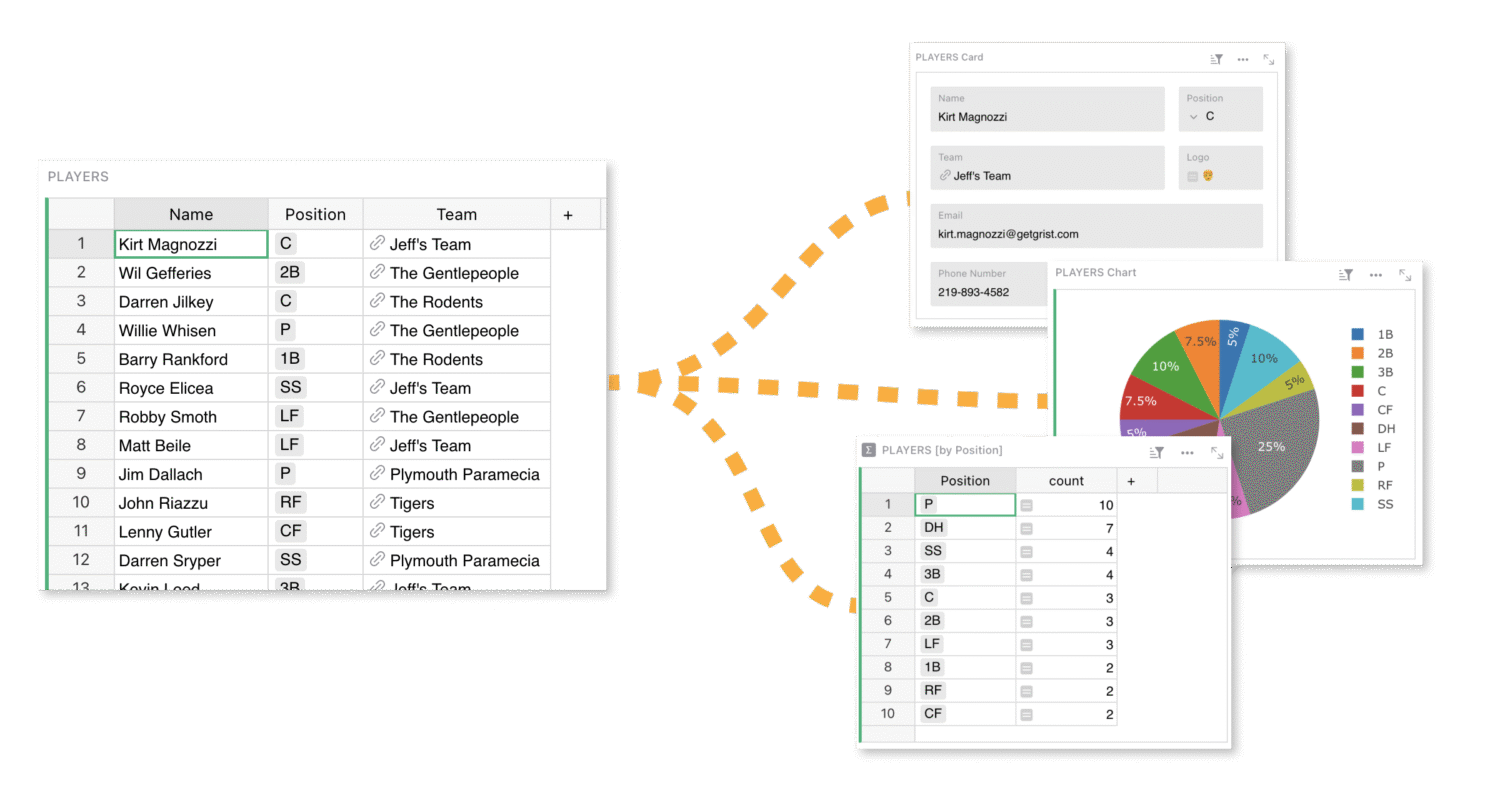
We’re starting with our own software because we firmly believe it can serve Airtable users as a mature and worthy open-source Airtable alternative.
At Grist, we set out to build the kind of data tool we felt was missing — a platform that is as powerful as a database yet as approachable as a spreadsheet; one that truly serves its users rather than locking them in with security risks of cloud hosting. Grist was born from our conviction that software should empower people, respect their privacy, and put them in control, not just as consumers but as creators and collaborators. We saw the limitations and risks in existing tools, like Airtable, and we designed Grist to be open-source and endlessly flexible. You can view a more in depth comparison on our Airtable vs Grist breakdown.
Why choose Grist?
With Grist, you get robust relational database features without sacrificing the ease of that spreadsheet feel. Our proudest features include a built-in AI Assistant for modifying documents and writing advanced Python-based formulas, granular access controls down to individual cells, as well as custom widgets that allow Grist to become the exact solution you need.
Grist at a glance
Strengths
- Relational-database similar to Airtable
- Real-time collaboration support
- Extensive customization options with drag-and-drop layouts for extremely custom applications
- Open-source flexibility allowing for self-hosted data and enhanced data sovereignty
- Built-in AI available on all plans in all documents
Considerations
- Learning curve for beginners
- Smaller community compared to bigger names like Airtable
- Limited native word processing document support
- Best for small to medium-sized datasets (<150k rows)
Grist pricing options
| Plan | Monthly price | Key features |
|---|---|---|
| Free | $0 | Unlimited number of documents, up to 5,000 records per document, snapshot history going back 30 days, AI Assistant, access rules, Python formula support |
| Pro | $10/user | Up to 100k records per document, snapshot history going back 3 years, higher AI Assistant usage cap |
| Team | $30/user | Up to 150k records per document, snapshot history going back 5 years, 20x more AI Assistant usage caps, priority support, professional services |
| Enterprise | $55/user | Dedicated server, custom SSO, custom domain, custom branding, admin controls, audit log streaming, multiple team sites, professional services |
Whether you’re working solo, running a small team, or managing data across a whole organization, Grist lets you structure and control your information your way without giving up privacy or flexibility. We built it because we needed a tool like this ourselves — and figured others probably did too.
Smartsheet: Enterprise-ready project management
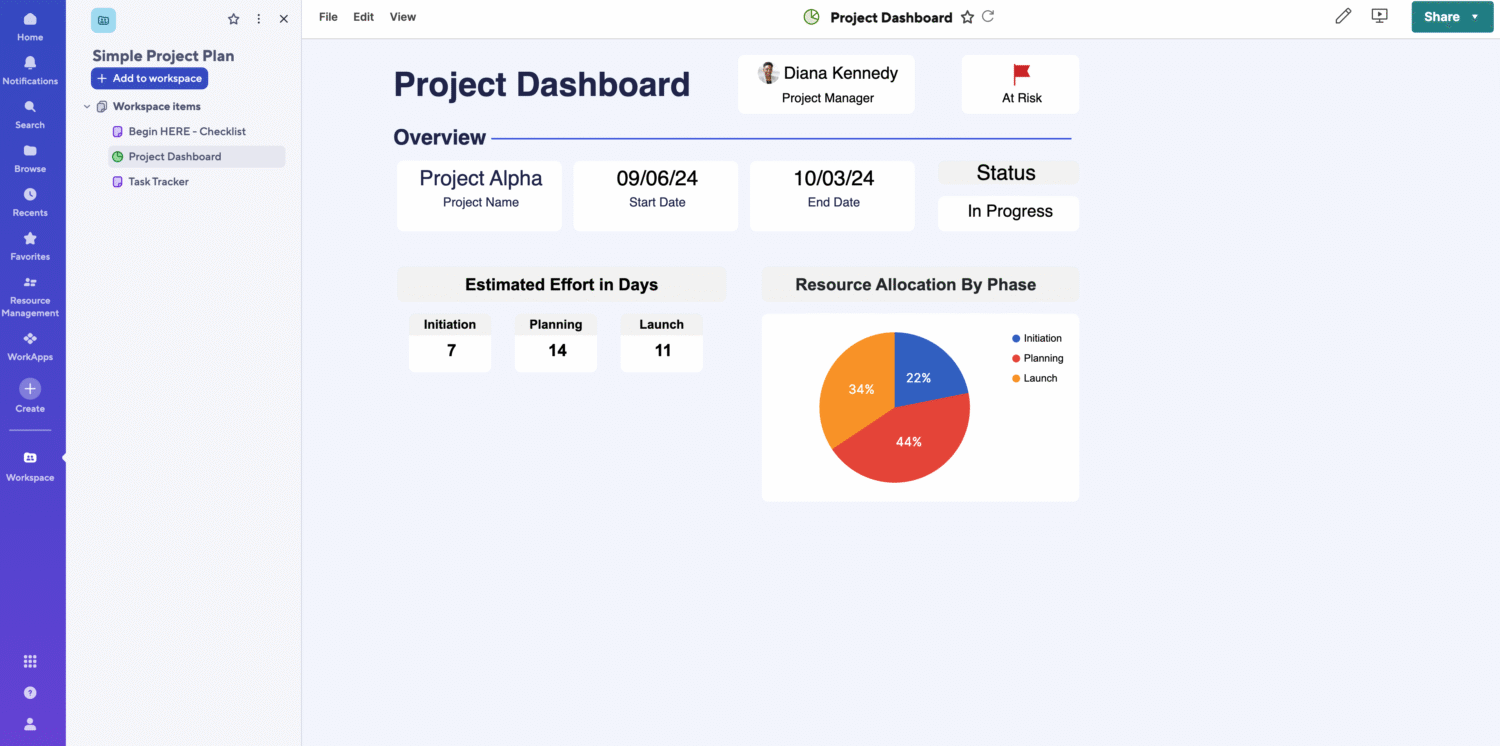
Smartsheet is known for blending project management tools with the familiarity of spreadsheets such as Microsoft Excel. Ideal for businesses that rely heavily on Gantt charts and automated task dependencies, Smartsheet offers extensive integrations with Microsoft 365 and Google Sheets.
Smartsheet at a glance
Strengths
- Familiar interface similar to Excel
- Strong workflow automation with automated triggers
- Advanced reporting and dashboards that are easy to use
- Specialized features catered directly to project managers
Considerations
- Limited customization options
- Limited free plan
- AI only available on Enterprise plan
- Lacks advanced formula support
Smartsheet pricing options
| Plan | Monthly price | Key features |
|---|---|---|
| Free (30-day trial only) | $0 | 1 user with 2 editors, 2 sheets, basic views only, limited automations |
| Pro | $12/user | Up to 10 editors, 10 sheets/user, automated workflows, forms, dashboards, basic integrations |
| Team | $24/user | Unlimited editors, unlimited sheets, advanced reporting, resource management, advanced automations, document builder, integrations, access control |
| Enterprise | Custom | AI formulas, Enterprise-grade security, Control Center, portfolio reporting, premium support, user provisioning, HIPAA/BAA, advanced compliance, dedicated success manager |
Smartsheet tends to excel the most for project managers collaborating with outside contractors or vendors, as well as serving as a serviceable step-up from Excel and Google Sheets without a significant learning curve. That being said, Smartsheet often struggles with extensibility when compared to other alternatives to Airtable. If a spreadsheet with project management capability is all you need, Smartsheet is a excellent choice. If your business needs a more flexible custom solution, you will find its vendor lock-in and lack of integrations limiting.
If you’re interested in delving more in-depth about the advantages and disadvantages of Smartsheet against app builders like Airtable and Grist, check out our Smartsheet vs Grist breakdown.
monday.com: visually intuitive task management
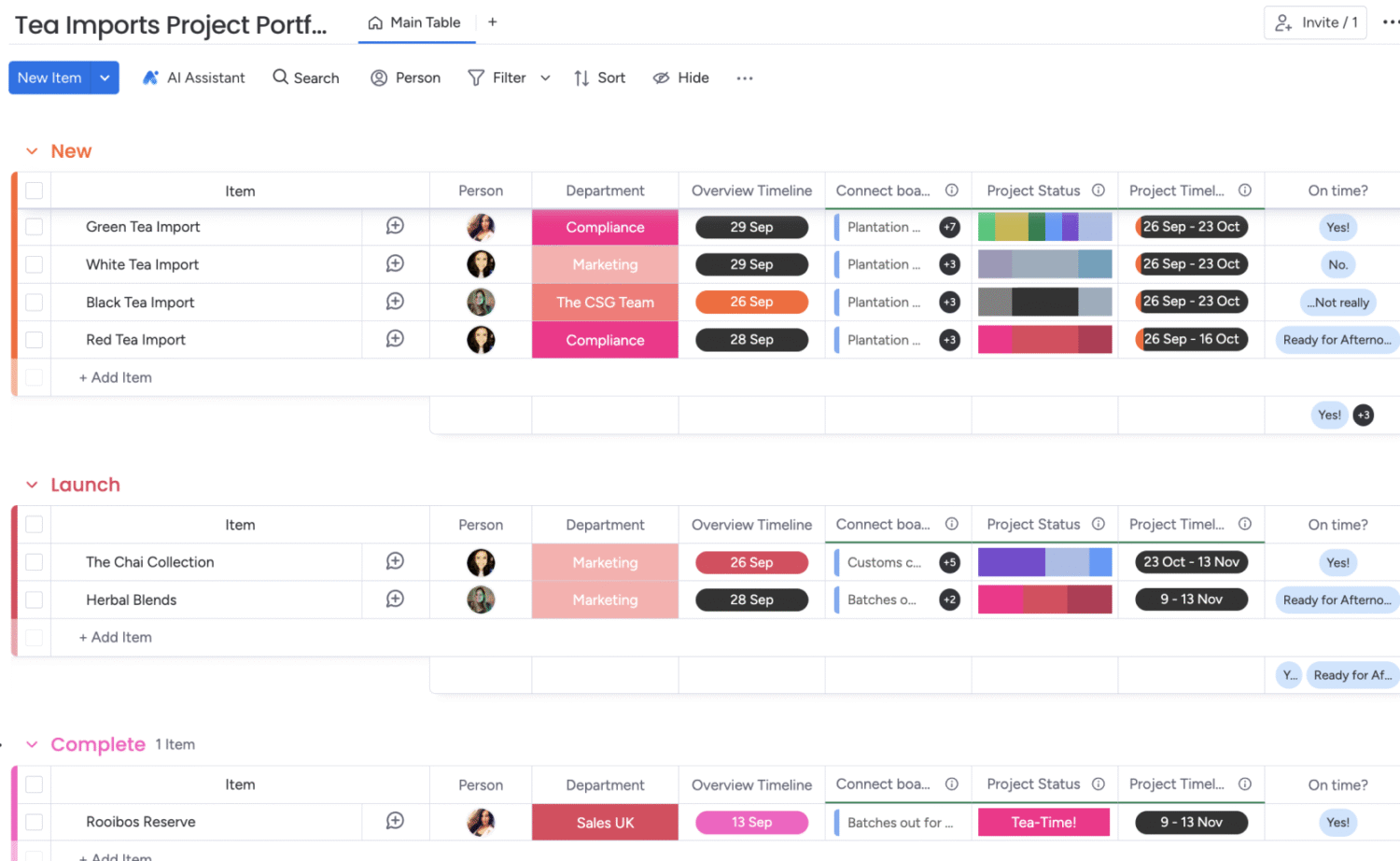
monday.com brings arguably best-in-class premade structure for plug-and-play usage. It comes launch-ready with task visualization, Kanban Boards and intuitive user interfaces. With strong automation workflows and hundreds of integrations, it’s a great choice for teams with who don’t need the technical capabilities of structured data and custom apps.
monday.com at a glance
Strengths
- No-code, modular AI features for task automation
- Highly visual, user-friendly interface