
How Epoch8 uses Grist as a back-office and production tool to deploy structure-first RAG solutions
When a company wants an AI assistant over its own content, the usual plan goes like this: hand the AI all the documents and let it answer questions. Under the hood, almost every such system works alike. It chops the documents into small pieces, stores each piece by its meaning (that is, semantically), and for each question pulls back the pieces that look most related. This is RAG, retrieval-augmented generation.
It works well for a while, and then it hits a wall. Ask how many products are in the catalog, and a pile of related snippets can’t count them. Ask to see every product in a category, and the search returns a handful and skips the rest. Ask for everything under 50 dollars with certain features, and matching by meaning has no way to filter by a number. Questions like these need an answer worked out over real, structured data, like a clean product table. Loose snippets of text can’t do it.
This wall is not a temporary limit that better models will remove. It has a mathematical proof. Google DeepMind’s LIMIT study shows that for any fixed search index there are sets of correct answers that meaning-based search can never fully return, however good the model is. They prove it on a toy task, a list of lines like “Geneva Durben likes Quokkas and Apples” with questions like “Who likes X?”, where even the best models find under 20% of the right answers. If meaning-based search stumbles on a toy list, it will not hold up on a real catalog.
What we went looking for
We build Vedana, our open source assistant framework, for cases where an almost-right answer is not good enough: product catalogs, compliance, internal knowledge bases, customer support. Vedana answers by walking a knowledge graph (a network of facts and the links between them) so every answer traces back to specific records you can check. Much of that knowledge is already structured: product tables, expert spreadsheets, reference lists. We want to drop those in as tables and let the assistant search both the tables and the text, using whichever fits the question. And those tables need a comfortable home, somewhere a subject expert can edit a value or add a column by hand and have the change reach the assistant, with no engineer in the loop.
We had a specific checklist for Vedana:
- Subject experts had to edit the knowledge directly.
- It had to be self-hosted and open source, because our clients have real privacy and data-residency rules.
- It had to be API-driven, so it could plug into a production system.
- It had to be Python-friendly, because that is what our team and our data jobs are written in.
- And it needed role-based access, so each person sees only their slice.
We also needed the structure to keep growing without a database project every time, and a subject expert to add a table without waiting on an engineer.
After looking around, we kept coming back to Grist. A spreadsheet that is also a real database is exactly that.
Storing the data in Grist
The first thing we keep in Grist is the data. When plain search hits that wall, the fix is always to take the part of the data the questions are really about and give it structure. LIMIT is the tiny example. The line “Geneva Durben likes Quokkas and Apples” is fine as text, until someone asks who likes Quokkas, or how many people do. Put those lines in a table, one row per person and one column per interest, and the assistant can answer exactly. The vague question becomes a precise lookup.
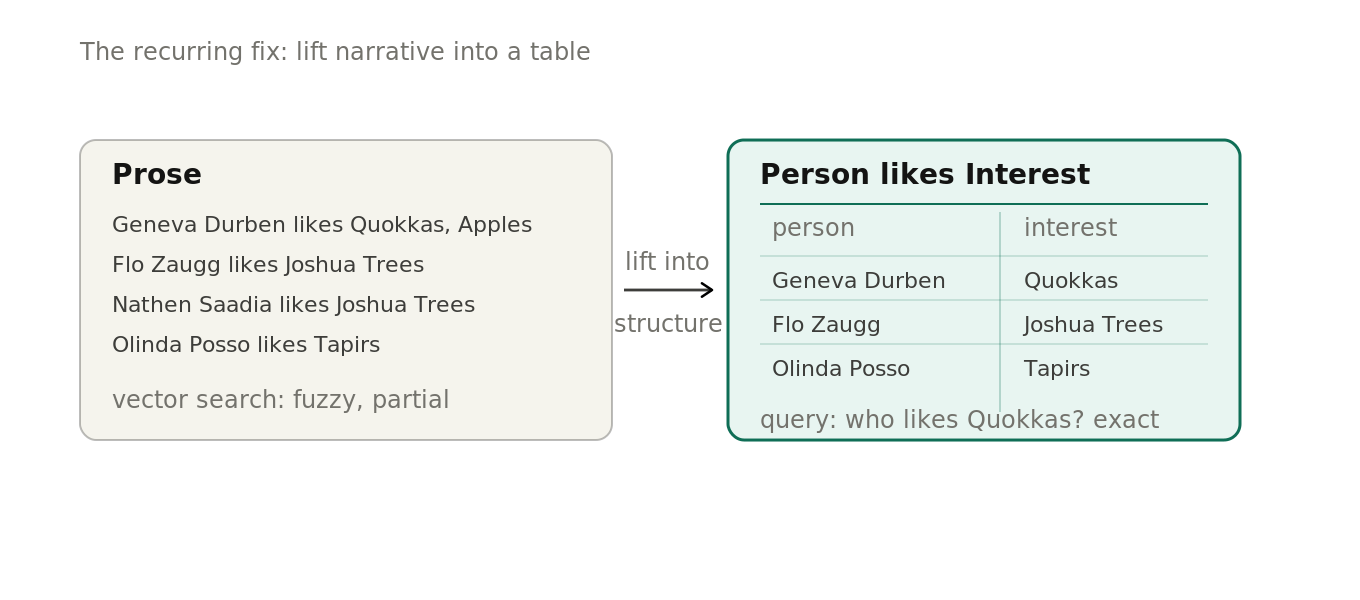
And this never stops. Every time quality dips, we do the same fix: pull another slice of knowledge out of the text and give it structure. One more table, a few more columns. You can’t know up front how many tables you will need, because the structure grows with the questions people ask.
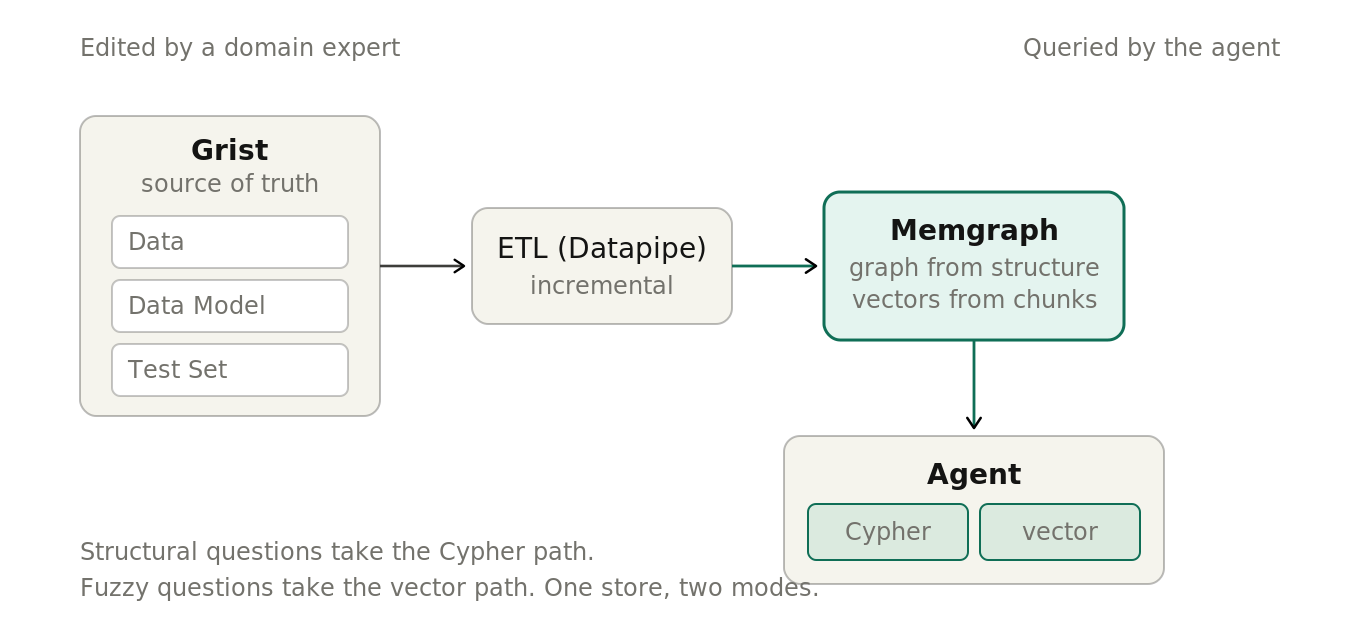
All of that content lives in a Grist document we call Data, in three shapes. Long text, like manuals, regulations, and articles, goes in as documents, which we split into chunks of about 10,000 characters (a variable size we set in one place). Anything that fits a filterable table – a row with a number, a date, or a name – goes in as structured data. Common questions with fixed answers go in an FAQ table. The tool that holds the knowledge is one a non-technical expert already knows: a spreadsheet.
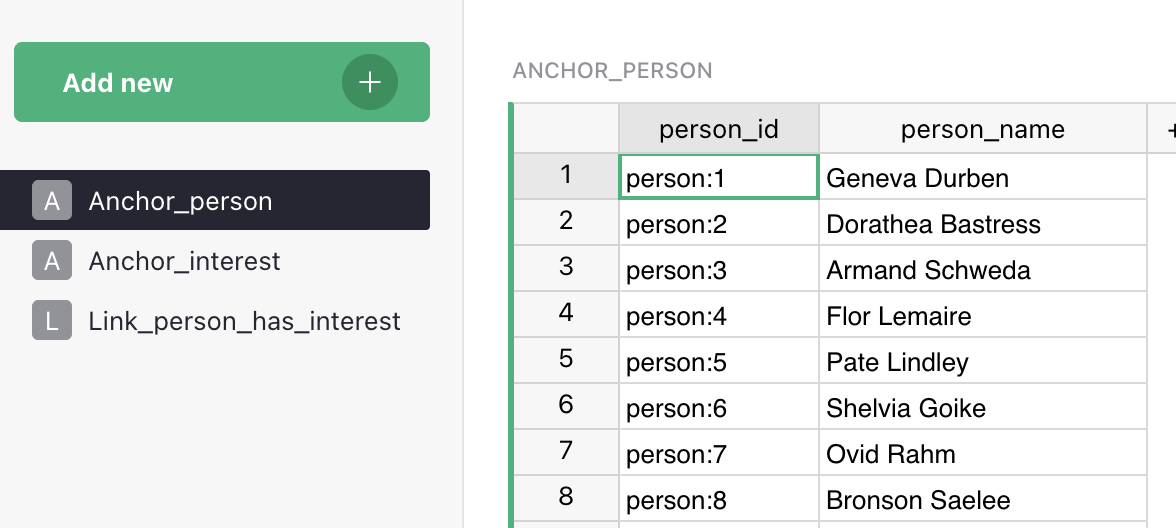
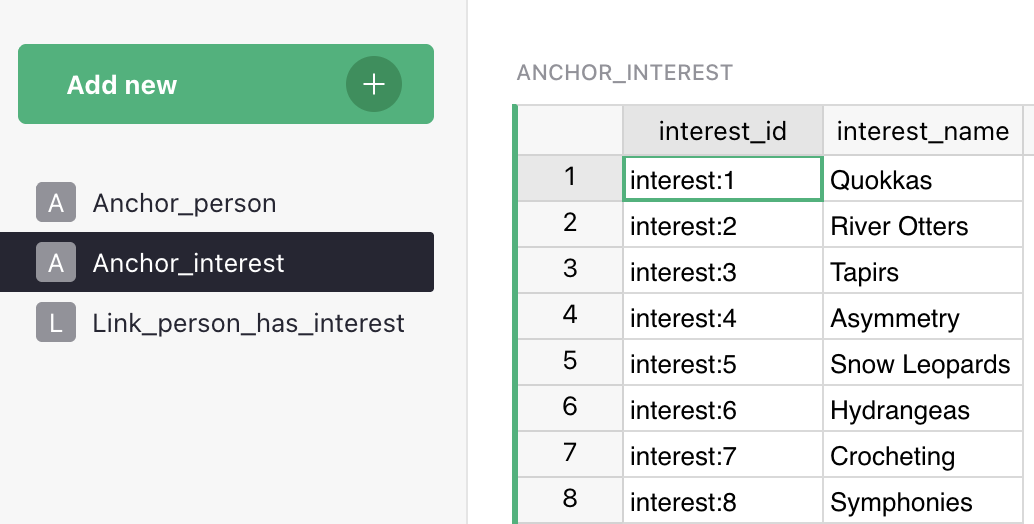
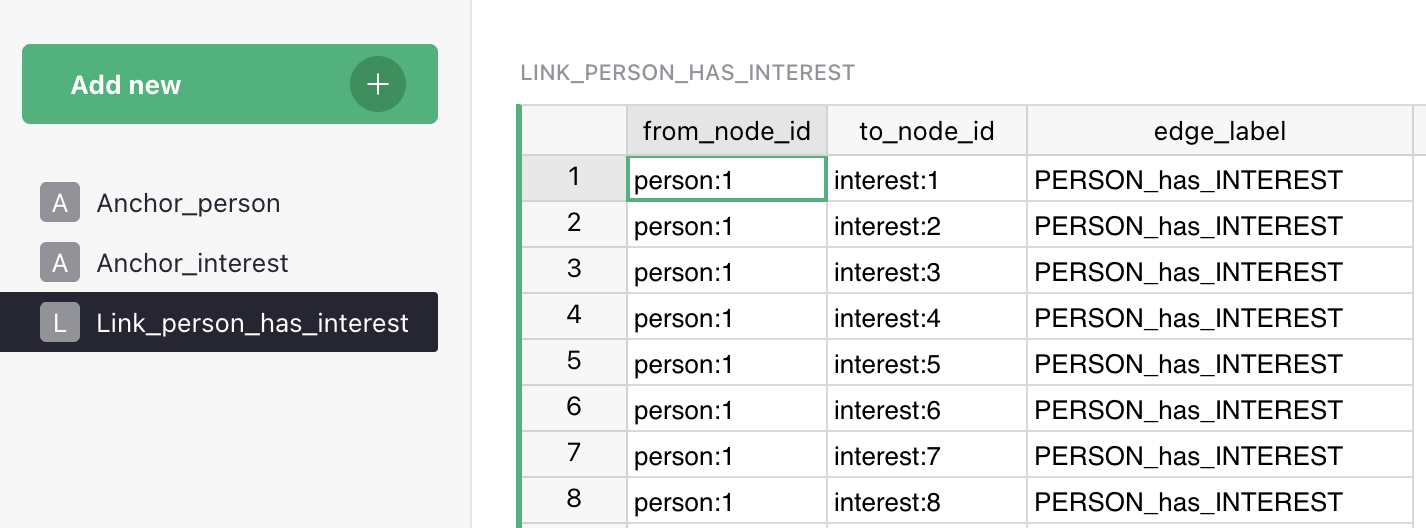
Under Grist we run a graph database called Memgraph. Everything from Grist flows into it: the tables become a graph the assistant can walk, and the text chunks become searchable by meaning. The assistant then answers two ways from one place, a precise query over the graph when the question is structural, and a meaning-based search over the text when it is open-ended.
The assistant’s brain lives in Grist too
Storing the data is only half the job. For the assistant to use that data well, it has to know what the data means and how to answer with it. That know-how is the assistant’s brain, and it lives in Grist too, as a data model and a set of answer recipes.
The data model is one Grist document with seven tables that spell out everything the assistant knows. It lists the kinds of things it can recognize, like Product, Branch, or Contract, each with a plain-language description. It describes their fields and which fields are searchable by meaning. And it describes how things connect, which is what lets the assistant answer a two-step question. The descriptions matter as much as the structure: the clearer they are, the better the assistant knows when to use each table.
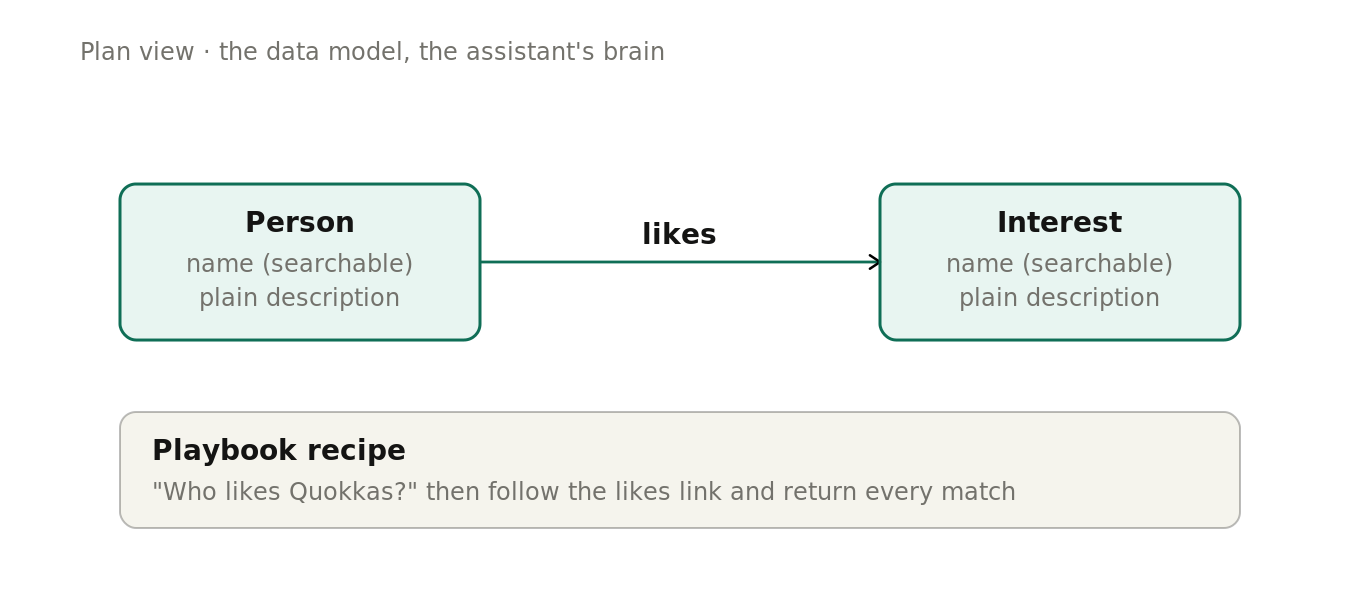
The answer recipes are the other half. We call them the Playbook: step-by-step instructions for a kind of question, which tool to use first and what to do with the result. Two more tables hold the assistant’s wording, its system instructions and its greeting and fallback messages.
Every decision about how the assistant reasons is a row in a spreadsheet. A subject expert can add a new kind of thing, describe its fields, link it to others, and write a recipe for a new question, with no code and no deployment.
Checking the brain: evaluation in Grist
You also need to know whether the assistant is right. Another Grist document holds a “golden set”: questions paired with the answers you expect.
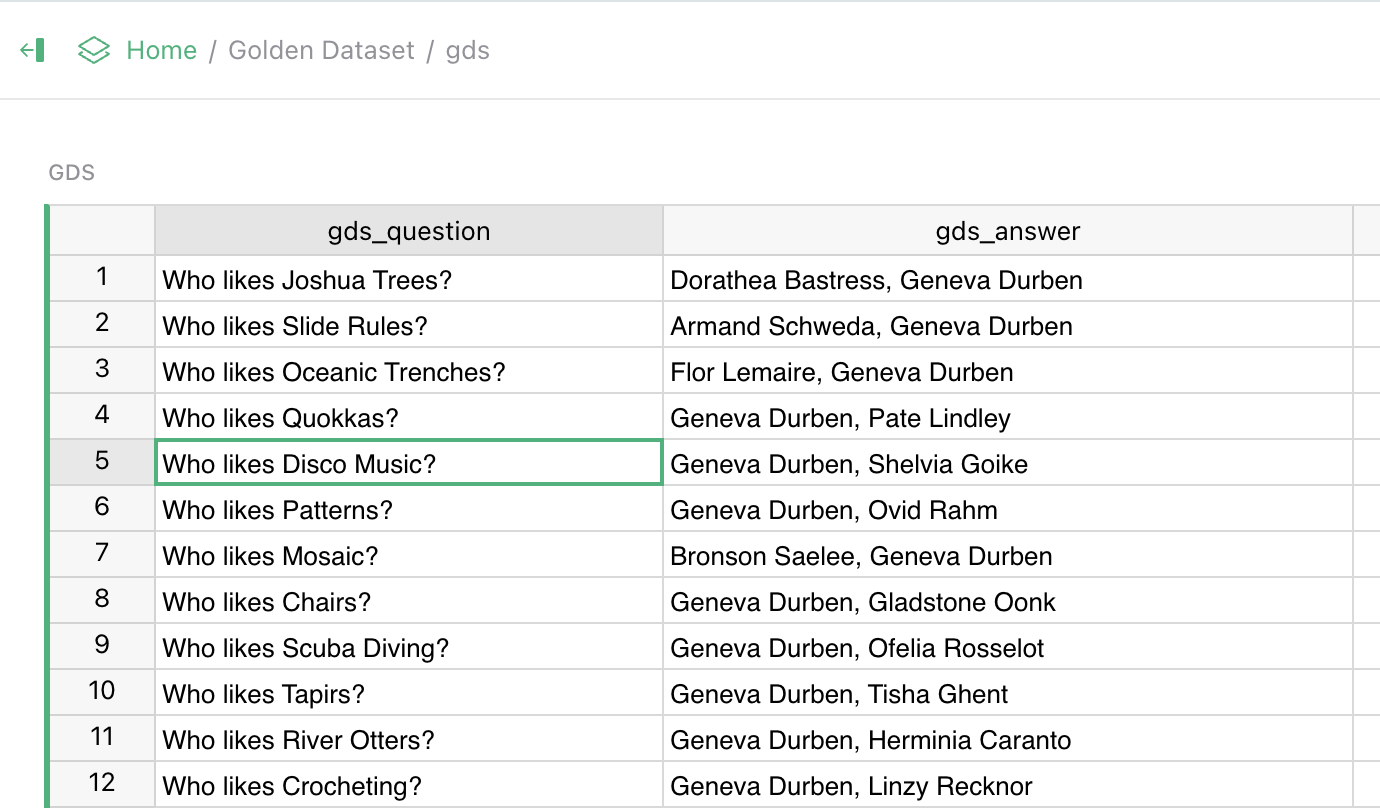
The default golden set is LIMIT, the benchmark from the opening, so the screenshots in this post come from it. The headline number is hit rate, the share of test questions answered correctly. On our version it is around 40-60% for plain text search, and 90% or more for Vedana answering over the graph.
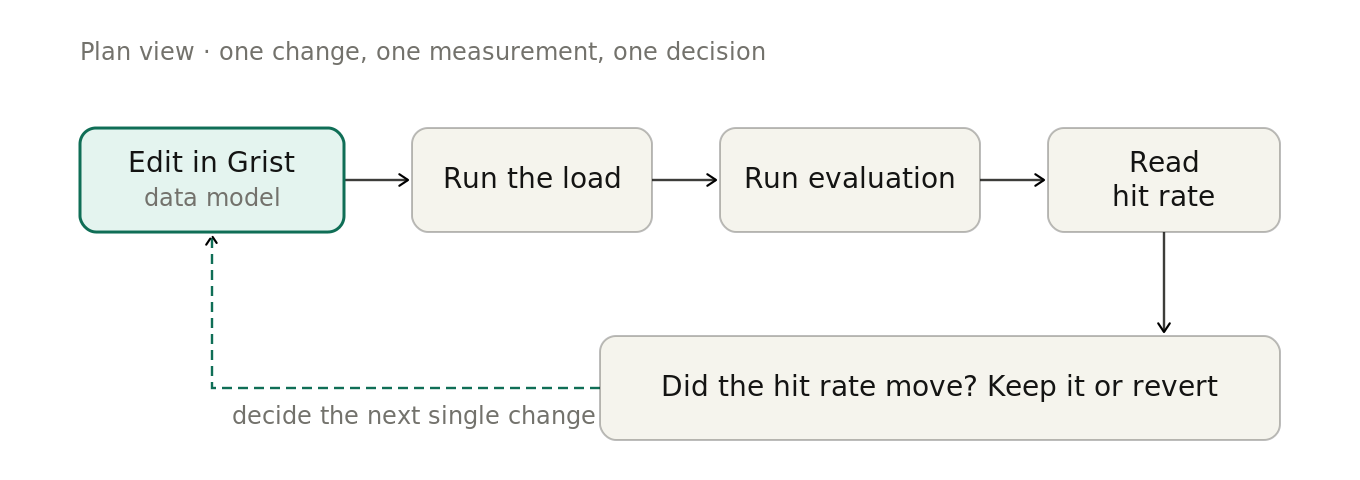
Every change runs against this set. The failures are the useful part. Wrong values point at the data model, a whole topic failing points at the Playbook, and shaky answers to similar questions point at a search setting. Quality becomes a loop: change one thing in Grist, reload, measure again.
The production pipeline
Grist is where we write the assistant, and it is also the live source of truth. A “load step” built on our open source Datapipe tool reads the data and the data model straight from Grist and moves them into Memgraph, the graph database, and pgvector, the meaning-based search index. It is incremental, so one edited row updates only what depends on it, and re-reads only the fields that changed. Our admin screen runs that load step and the evaluation with a single button. Grist’s API makes it the hub everything connects through.
Handing the client the keys
When we deploy for a client, we hand them their own Grist project. Role-based access means each person sees the right slice of one shared set of tables: a subject expert edits their entries, a manager sees summaries, an engineer keeps the graph and the tools. So far people with no technical background have found their way around it, because it looks and behaves like a spreadsheet.
Why this approach works
Deployed AI assistants are often designed around the engineer who made it. The reverse should be true: the people who know the subject have to be able to change what the assistant knows, themselves, as they think of it.
Grist is built for these kinds of quick changes. Tables and links grow with no vendor round-trip. Grist’s API lets a single document drive loading, evaluation, and production. Python support keeps our calculations next to the data. And being self-hosted and open source clears the bar our clients set: their data stays with them, odd network setups are fine, and there is no lock-in.
The dynamic data model is the real win. A change that used to take days of back-and-forth with engineers is now a few edited rows.
What this unlocks
Subject experts edit the knowledge directly, so most “can it also answer this?” requests never reach an engineer. Every change is measured against the “golden set” before it ships, so tuning is no longer guesswork. And because Grist is both the place you edit and the live source of truth, there is no second system to keep in sync.
Interested in a structure-first RAG?
If your assistant’s answers have to be complete and checkable, and the people who know the subject should be the ones editing it, this pattern is worth copying. Vedana is open source, with code and docs at github.com/epoch8/vedana. It runs on Grist, Memgraph, pgvector, and Datapipe, with Grist as the back-office and the live source of truth.

Olga Tatarinova, COO, Epoch8
Ready to build with Grist?
Grist’s custom widget framework, full API access, and self-hosting options give builders the infrastructure to create exactly what they need. Start with a spreadsheet, then break out when you’re ready.
