campaign

Looking for an Airtable alternative? See how Grist compares.

Inventory Tracking Spreadsheet

Inventory Tracking Spreadsheet

Open Full Template

About the Inventory Tracking Template

Manage your inventory and track incoming and outgoing orders in one place. The Inventory Tracking template takes the best from both spreadsheets and databases to keep your information organized and up-to-date.

  • List your products, even including images and variants as needed.
  • Track stock levels and order status.
  • Easily expandable and adaptable to businesses of any size.

How to use the inventory management spreadsheet template

eCommerce professionals can use Grist’s inventory spreadsheet templates to manage their inventory and track incoming and outgoing orders. Click through to the full template to add products.

Setting up your inventory tracking spreadsheet

Get started in the Add Products / Products card including details such as the suppliers you buy from.

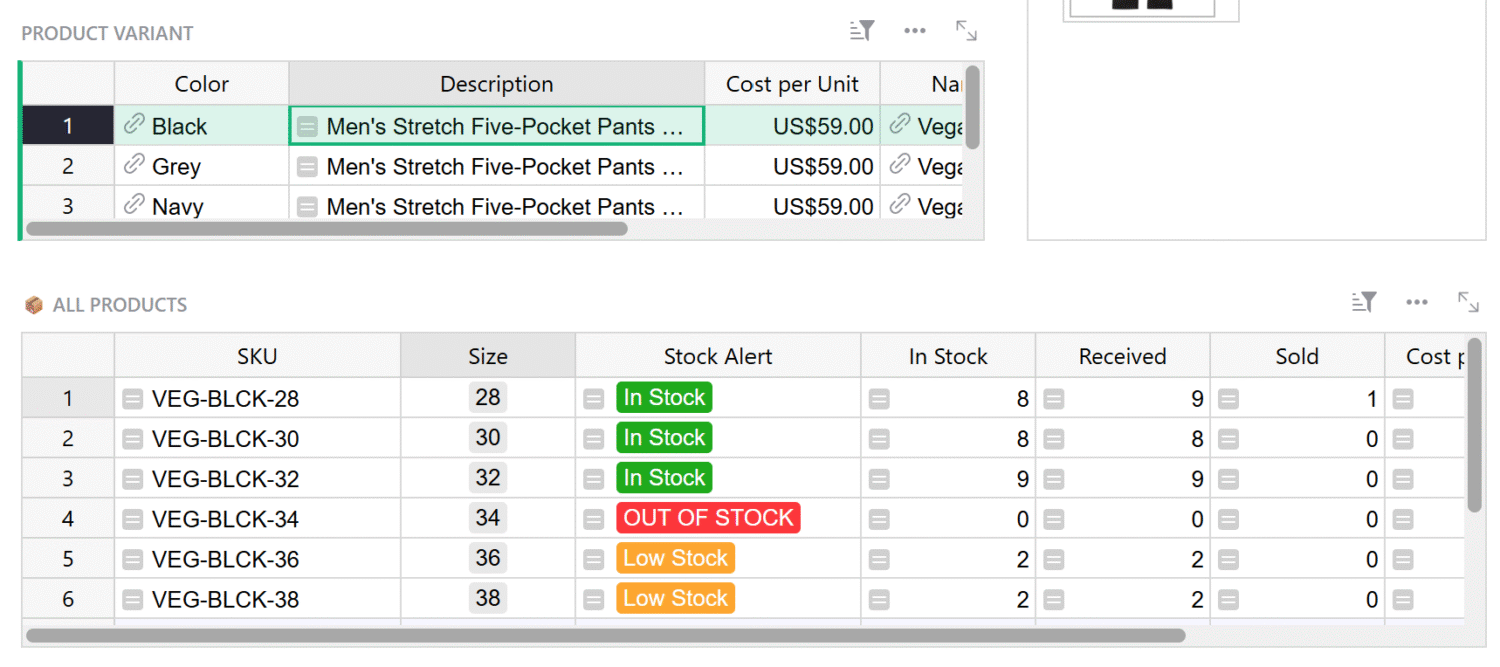
Next, add your product variants, such as color.

Finally add product images and cost per unit.
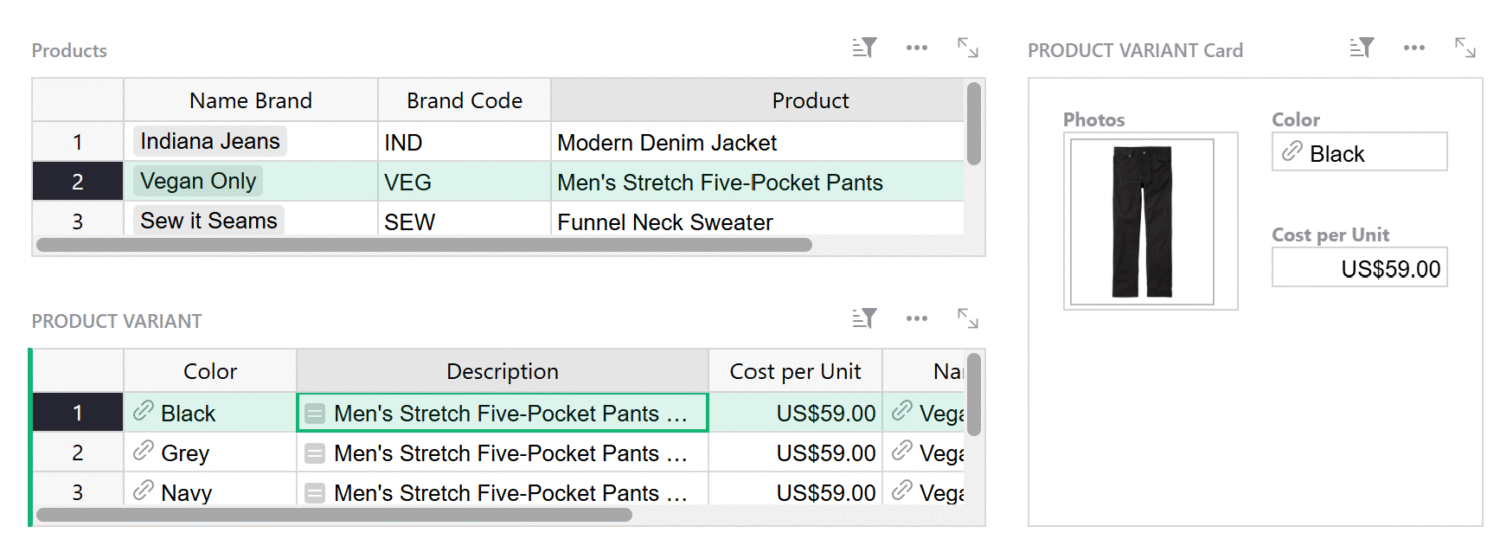
Adding suppliers screenshot within the Grist Inventory Tracking Spreadsheet template.
Adding product variant sizes screenshot within the Grist Inventory Tracking Spreadsheet template.

Adding products to your inventory

You’re now ready to add products to your inventory.

Simple select the variant in the Product Variant table, and add sizes here.

Adding colors

Add or change colors within the “Colors” data table.
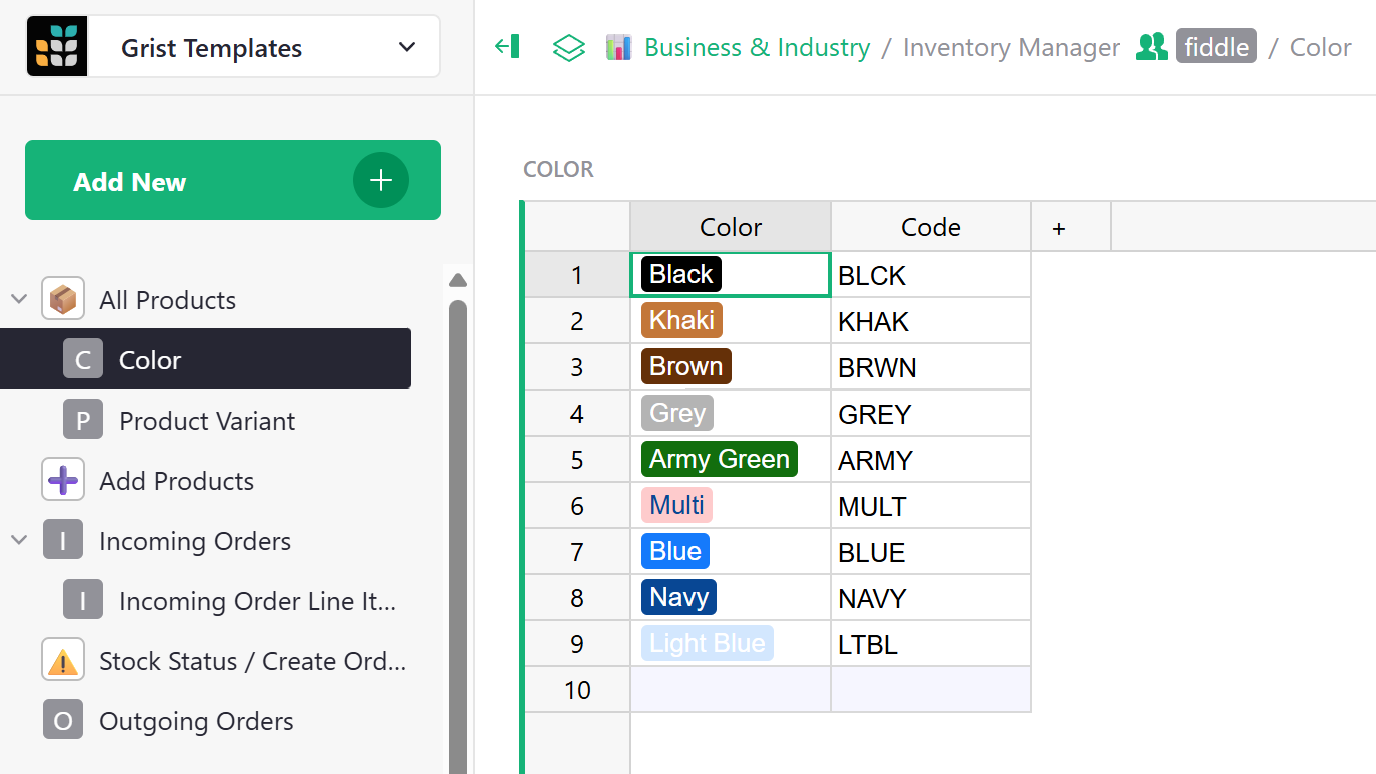
Adding colors screenshot within the Grist Inventory Tracking Spreadsheet template.
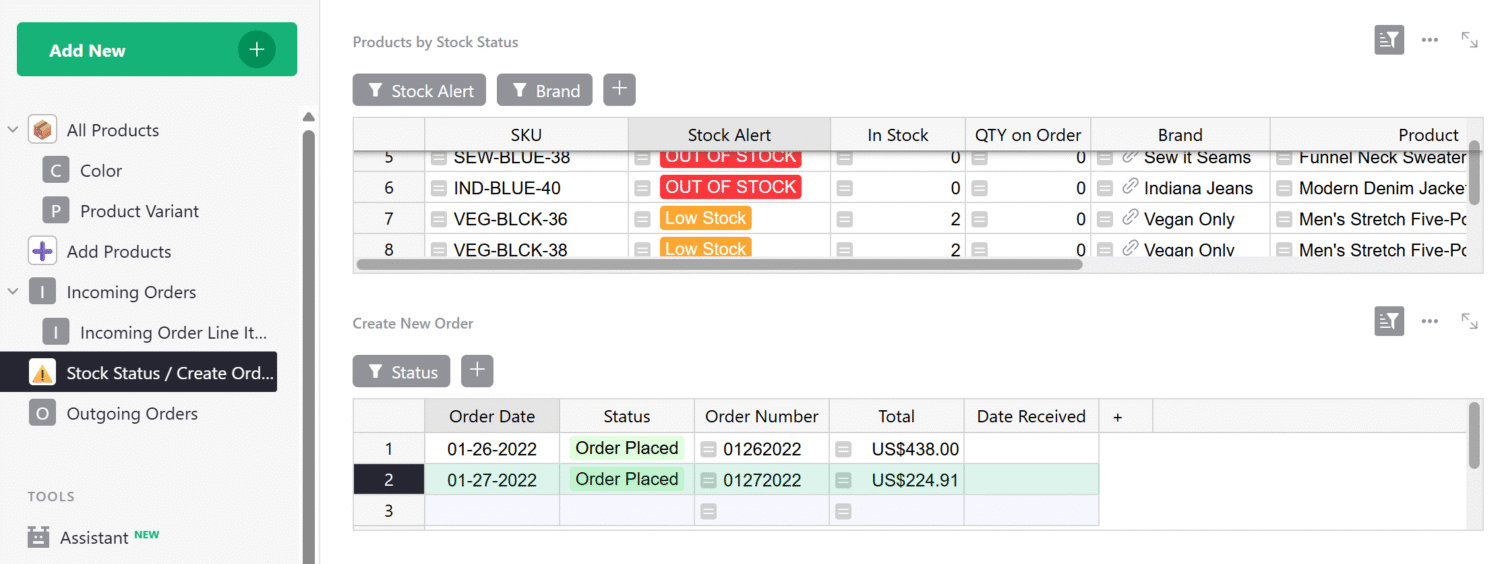
Tracking low stock items screenshot within the Grist Inventory Tracking Spreadsheet template.

Low stock

Quickly see which items are low or out of stock.

Use the filter buttons to filter by stock status or brand.

Create a new order

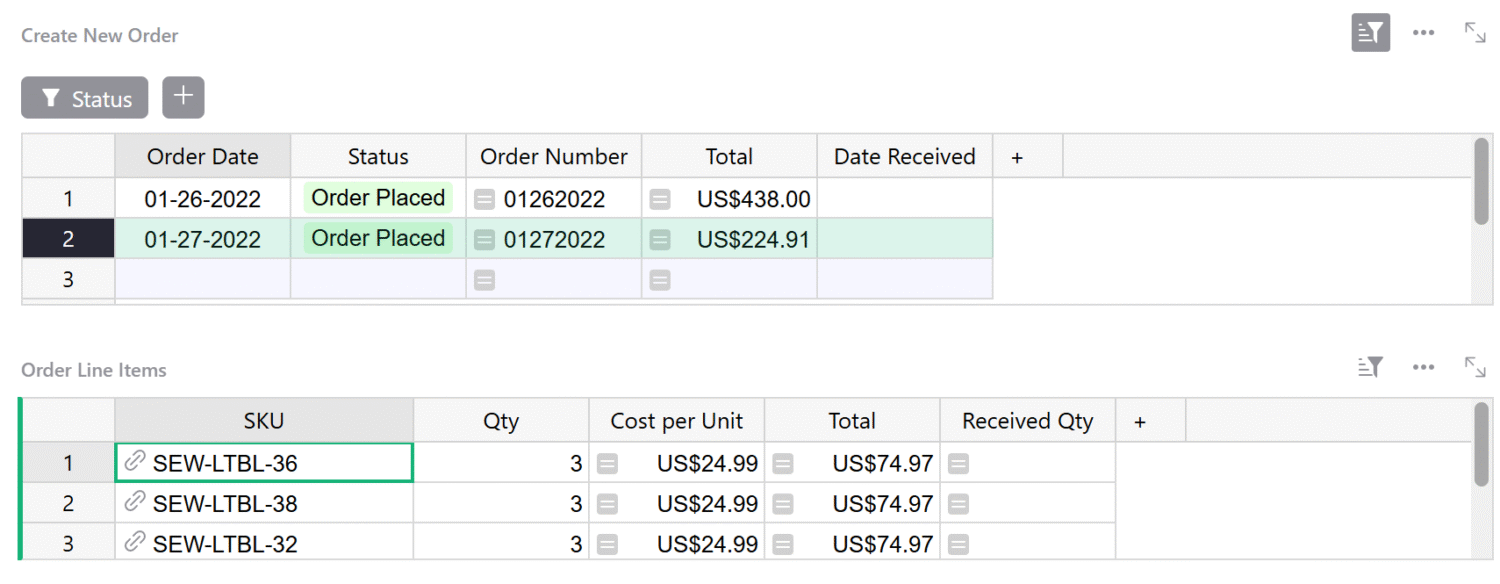
Create a new order by selecting the order date.

Status and Order Number will auto populate.

Total will calculate based on the items you add to the order below.
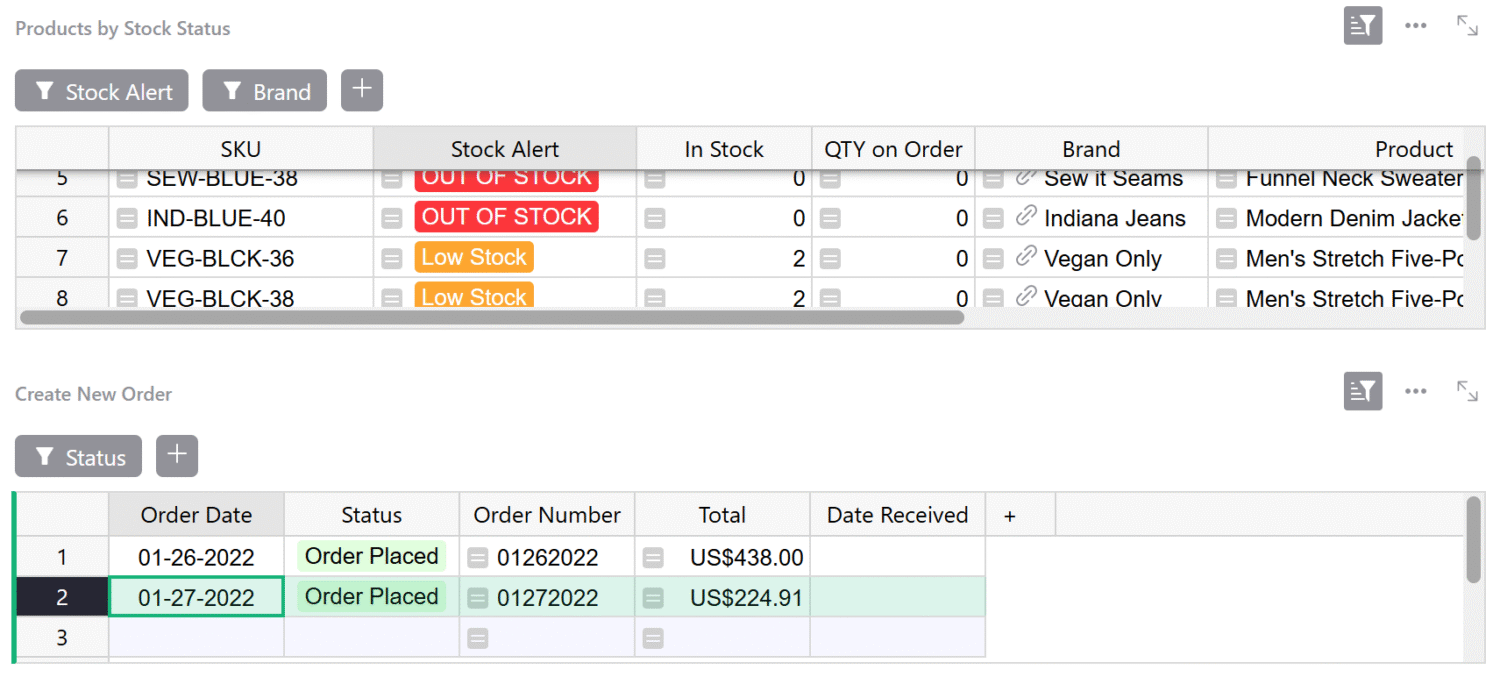
Creating a new order screenshot within the Grist Inventory Tracking Spreadsheet template.
Adding items to a new order screenshot within the Grist Inventory Tracking Spreadsheet template.

Add items to a new order

Select the SKU and the quantity you want to order.

Order received

After receiving an order, marked it as received here.
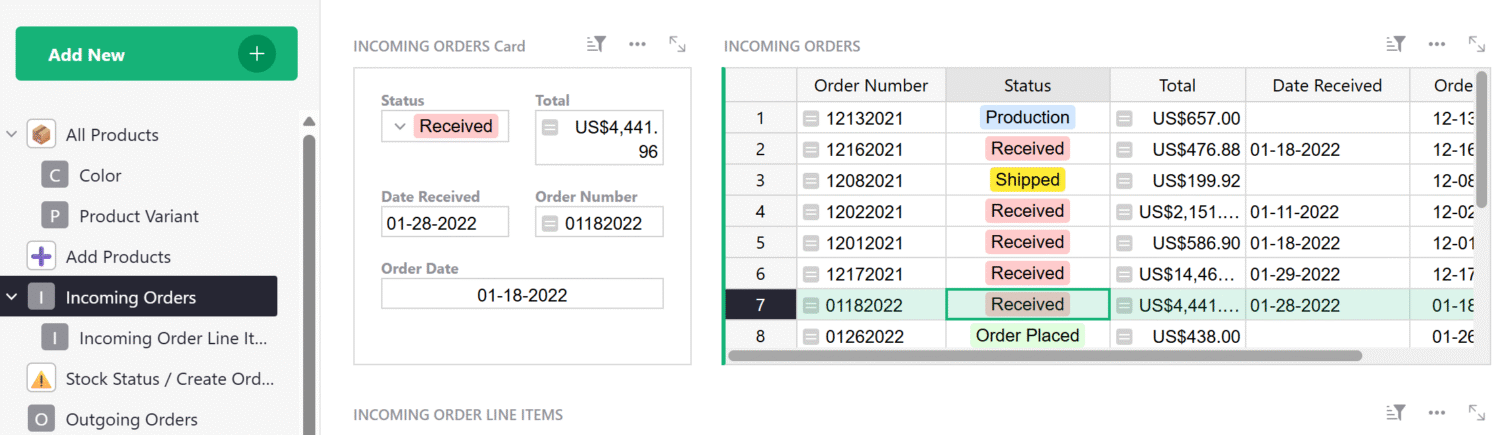
Tracking incoming orders screenshot within the Grist Inventory Tracking Spreadsheet template.
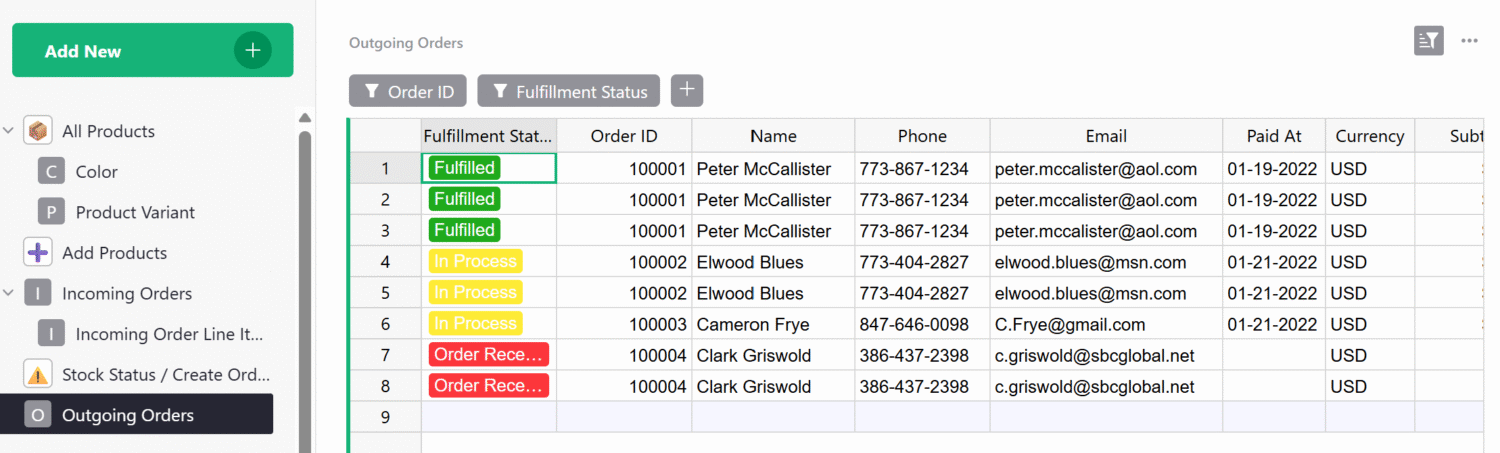
Tracking customer orders screenshot within the Grist Inventory Tracking Spreadsheet template.

Outgoing orders

Track your customer’s orders here.

Grist supports importing data from eCommerce platforms like Shopify.

Tracking inventory

In Stock, QTY on Order, Received and Sold are all calculated based on incoming and outgoing orders.
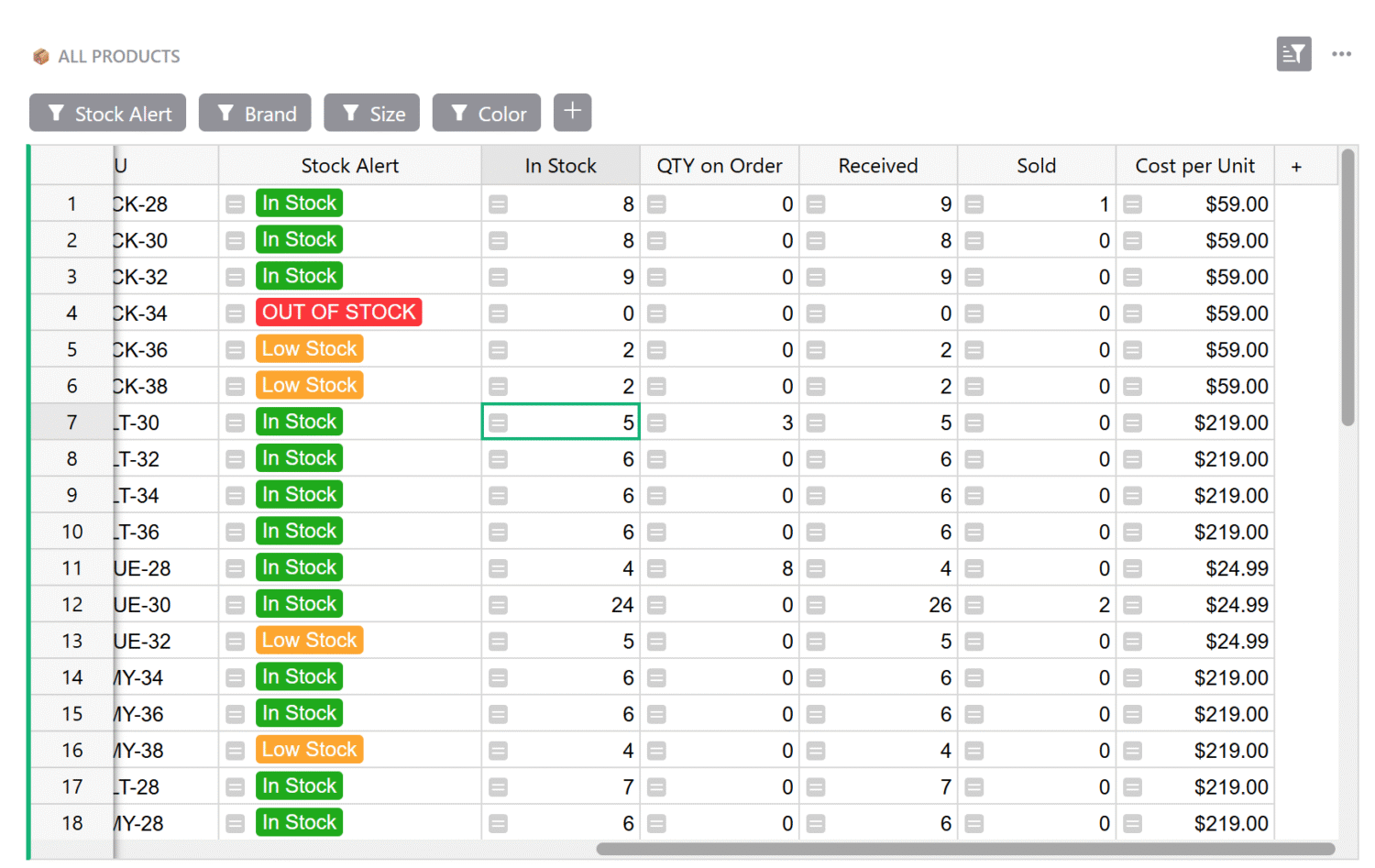
Tracking inventory example within the Grist Inventory Tracking Spreadsheet template.

Related Templates

All spreadsheet templates

General Ledger Template

Analyze income and expenses by project and over time using our user-friendly general ledger with dynamic charts.

View Template

Business Budget Template

Create printable invoices directly from your spreadsheet data.

View Template

Sales Commission Sheet Structure Template

Track sales, calculate commissions, and summarize revenue and commission pay out in vibrant charts.

View Template

Expense Tracker Template

Streamline expenses management by allowing employees to edit their own expenses, while protecting sensitive data.

View Template

Billable Hours Spreadsheet Template

Track billable hours and generate invoices in this streamlined template.

View Template

Spreadsheet Invoice Template

Create printable invoices directly from your spreadsheet data.

View Template

“I love Grist. It’s crazy powerful. I still can’t believe what we’ve been able to achieve in it. It’s the dream that low-code was sold as for years – we can do incredible things in each column with Python and we can build our own widgets to run on those! Wild!”

Elliot Lee
User Researcher

“Grist has become our go-to for more complex