
n8n is a powerful tool with deep Grist integration. Such power can seem daunting at first, especially with the goal of automating complex workflows that integrate with other services.
Nearly any automation you can imagine is within reach (trust us, we’ve seen things!), but you have to start somewhere. This is a great place to start.
Below you’ll find four walkthroughs from our developer Jarek, and each video includes a link to a sample Grist document that includes the JSON used in n8n, so you can work alongside the tutorial or just jump off where Jarek left off.
How do I update multiple tables at once?
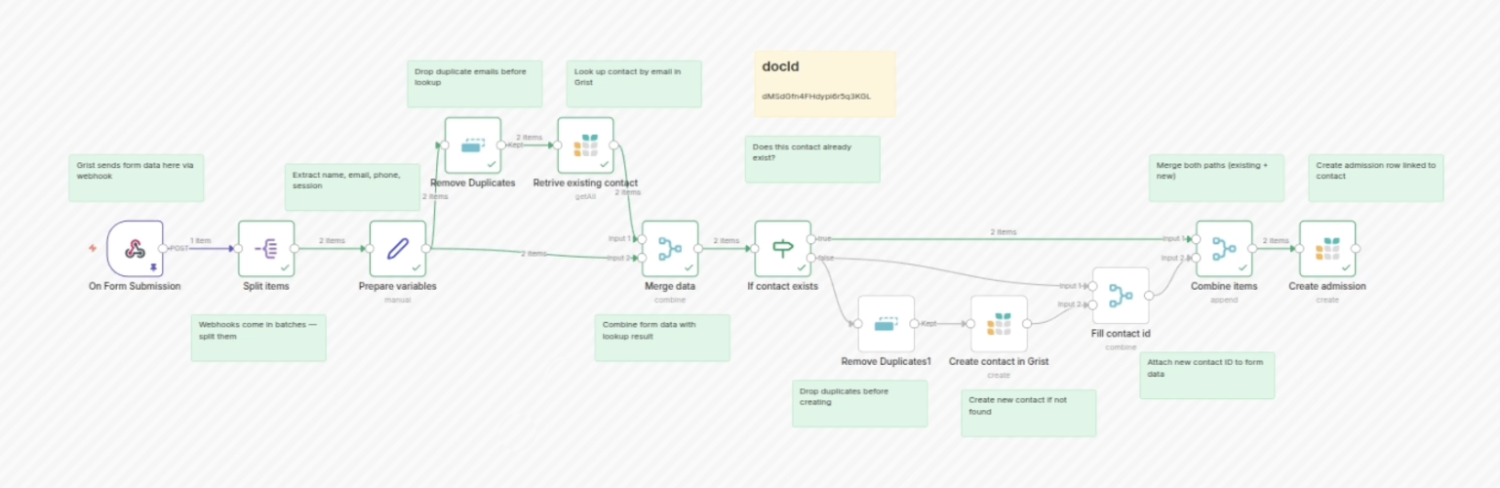
Forms throw data in one place, which makes perfect sense. But what if you want to trigger updates in multiple tables, and sort out information once a form is submitted… automatically. Automations let you do that and much more (duplicate checking, for example).
How can I use AI to automate my data?
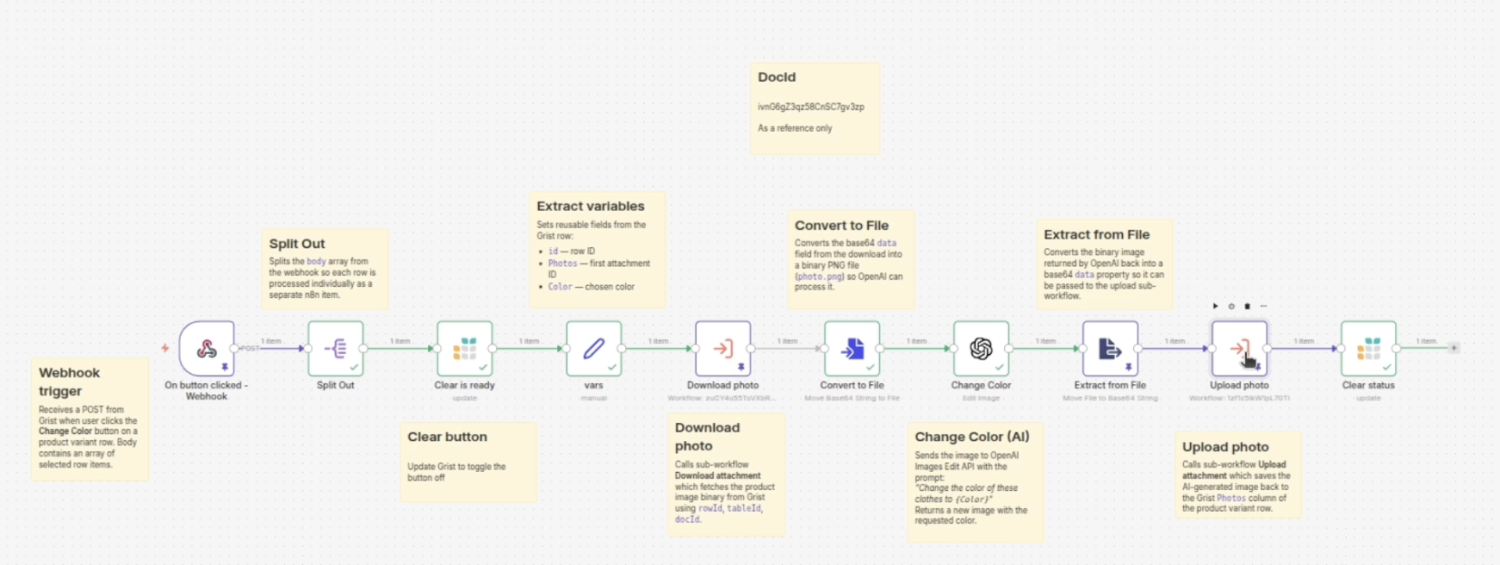
AI can do lots of things with data, but fitting the right AI process into a larger data workflow can seem daunting.
In this walkthrough, Jarek plugs in an AI node that updates a product image when its associated color is changed. A simple example of how Grist + n8n can work with AI services and transform your data without manual prompting.
Automate CRM with AI email summaries
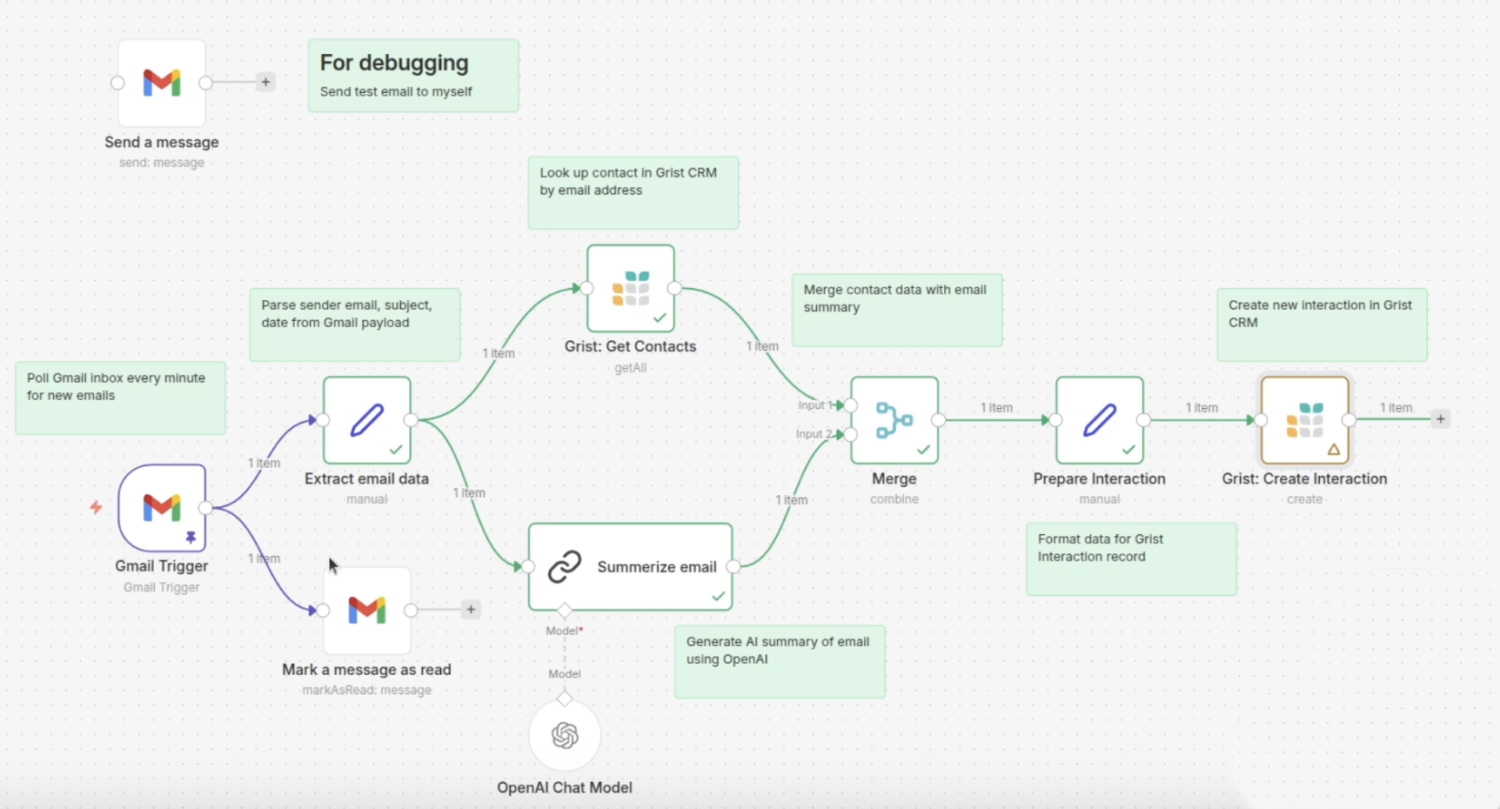
An email account is not a CRM in itself, but having a record of email interactions can be invaluable. Join Jarek as he extends a basic spreadsheet-based CRM tracker with n8n AI automations to automatically summarize received emails and add them to a spreadsheet.
How do I schedule AI workflows?
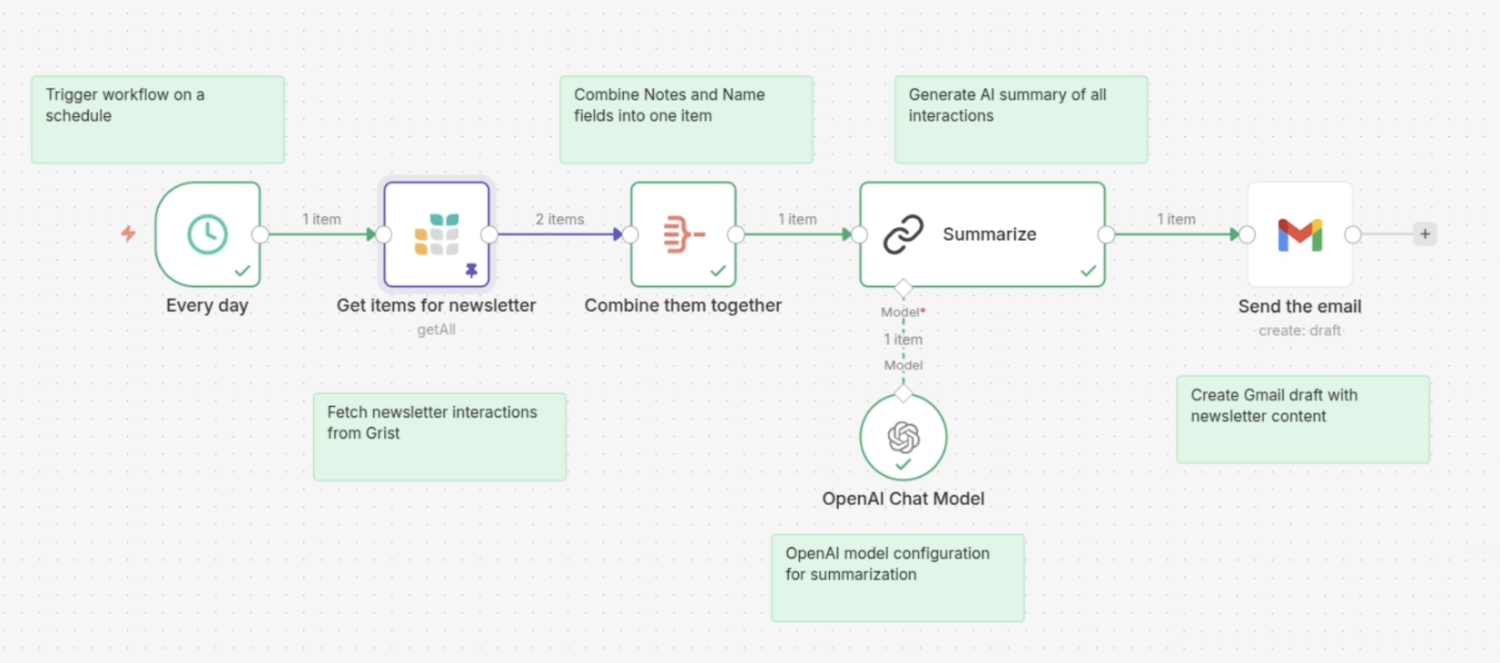
It’s one thing to prompt an AI and get an output. It’s another to add AI as part of a workflow that takes data and does magical things with it. But often the final stage of an automation is scheduling it to happen automatically, taking the manual prompt out of the equation entirely. Join Jarek as he uses Grist and n8n to generate a personal newsletter that summarizes CRM interactions and drafts an email on a daily schedule.
What else can you do with Grist + n8n?
Some very basic n8n workflows shared on our community forum (used as a foundation for the above tutorials!).
An in-depth presentation from a user who used n8n and Grist to run an entire back-office, including biometric document signing.
Useful user-contributed docs covering service accounts and upserting via n8n.
A walkthrough of how to generate and email a summary PDF upon completion of a form using n8n and Gotenborg.
