
Enterprise role-based access control for spreadsheets
Traditional spreadsheets are all-or-nothing when sharing. Grist lets you control access by table, column, row, and cell.
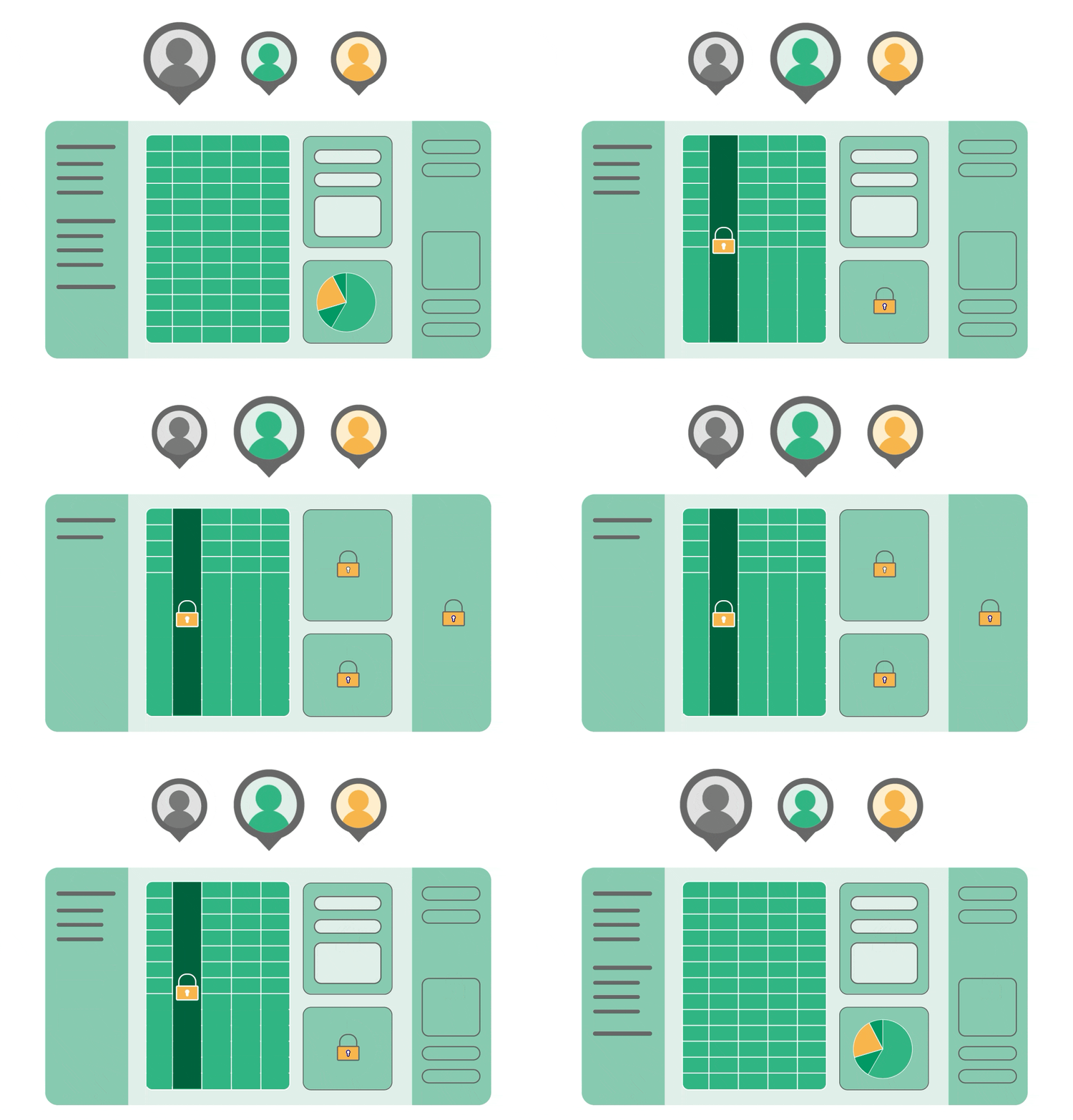
Why spreadsheets fail at access control
Traditional spreadsheets (Excel, Google Sheets) offer only document-level permissions.
Common workarounds (hiding columns, making copies, separating files) leads to insecure and fragmented data.
Compliance requirements (GDPR, HIPAA, SOC 2) demand granular data access control, or even self-hosting.
Role-based access control, row by row
What does RBAC in spreadsheets look like?
Granular permission and user data
Built for Complex Security Requirements
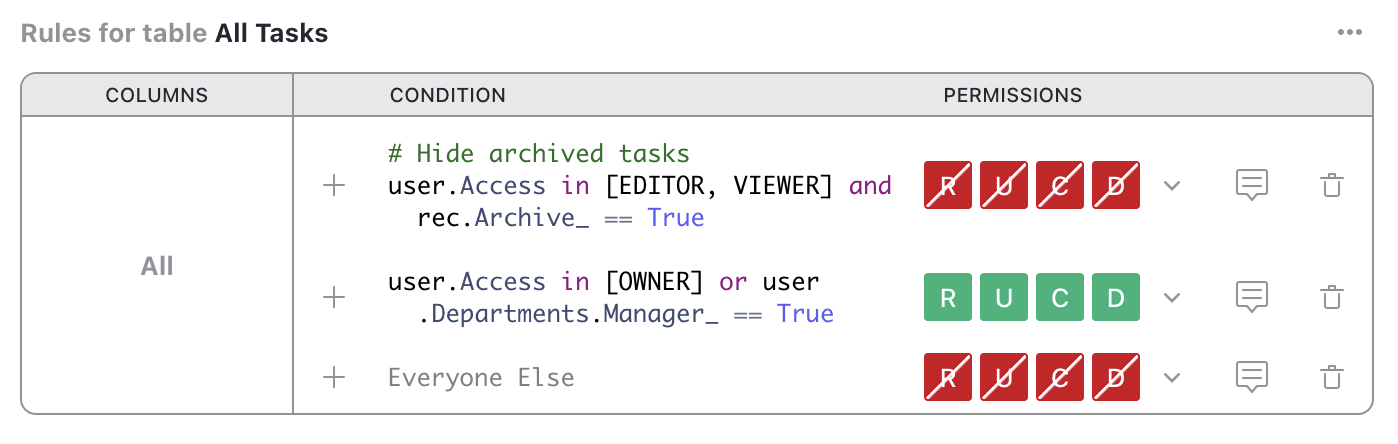
Conditions
Allow specific changes only when conditions are met (e.g., status is “approved by manager”).
Use case: Workflows where records move through approval stages.
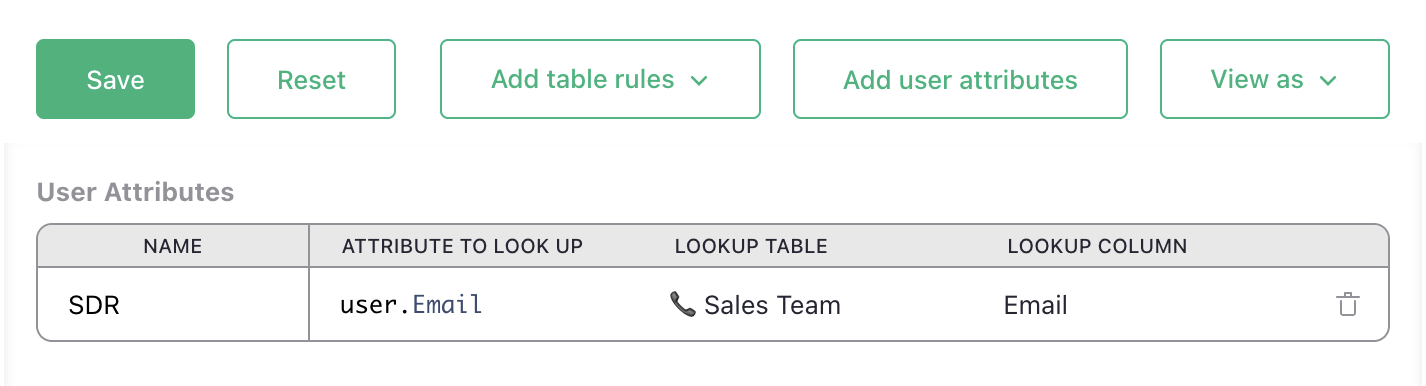
User attributes
Map users to specific fields in a table within the document and reference those fields in access control rules.
Use case: Growing teams where role assignments change frequently. No manual rewriting of rules for each new user.
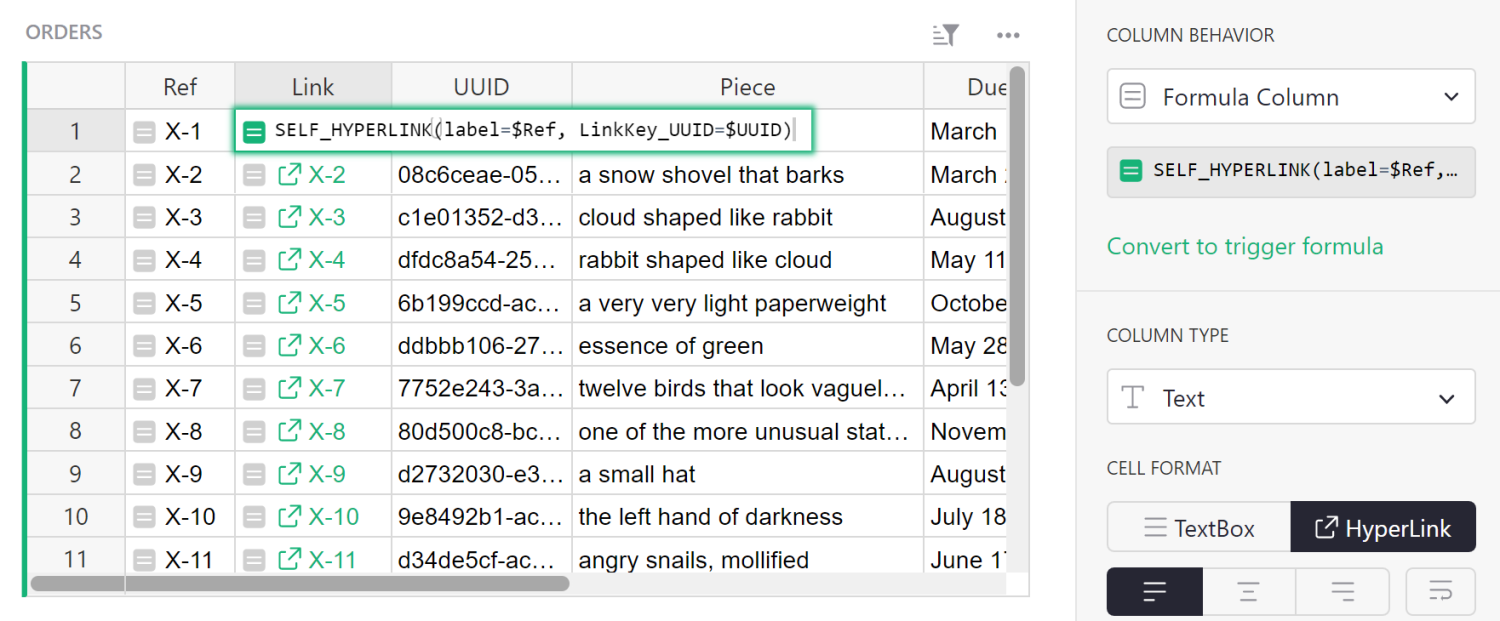
Link Keys
Generate secure, unique URLs that grant access to specific rows to external parties without login.
Use case: Collaborating with external vendors or subcontractors.
Define. Evaluate. Validate.
1
Reference user attributes and record data to define conditions with simplified Python syntax.
2
Rules are evaluated from top to bottom, with first-match logic.
3
Preview user roles with “View As” feature for quick validation.
Enterprise-grade security built-in
Access rules enforced at API and database level, not just UI
Self-hosting option for complete data control
Export restrictions respect access rules (unlike column hiding)
Supports compliance requirements for data segregation (GDPR, HIPAA, etc.)
Open-source codebase allows security auditing
Comprehensive admin controls for workspace, user and document management (full Grist edition only)
“I love Grist. It’s crazy powerful. I still can’t believe what we’ve been able to achieve in it. It’s the dream that low-code was sold as for years – we can do incredible things in each column with Python and we can build our own widgets to run on those! Wild!”
Elliot Lee
User Researcher
“Grist has become our go-to for more complex, structured data. It sits somewhere between Excel and Access—powerful, relational, and flexible enough for prototyping real data-driven applications.”
Olivier Lambert
CEO at Vates
“The more I use Grist, the more I LOVE it. I have been surveying self-hosted database GUI tools, and I was consistently disappointed with their shortcomings or bugginess. Grist is the first to have tilted the balance the other way.”
Stephen S.
Publications, Personal City Guides
“Grist has given us incredible flexibility to solve data problems and find solutions, whether it is for a small team at the district, or at scale with the entire district staff. We’re really excited about the different ways we can use it going forward.”
Director of Product
EdTech Company
“What I like about Grist the most is its focus. It appears simple, but it’s very powerful in a focused way. Grist has really improved our workflow and communication.”

Chris Scott
Co-founder in Digital Marketing
“If people spend some time learning a new tool they’ll have more power to do their work and research. I said to one of my students, ‘You will be very very happy using Grist because you are miserable using Excel!'”

Eduardo Dalcin, Ph.D.
Biodiversity Informatics Expert
“Most CRMs don’t work the way Grist works. Grist’s layouts are simple and do exactly what we need.”
Jennifer Bledsoe
IT Tech at Law Firm
“I discovered Grist after becoming frustrated with the limitations of Excel and Google Sheets. Grist has been a breath of fresh air, especially with its ability to handle structured data in a way that feels familiar to anyone with experience in relational databases, but with the added flexibility of Python.”
Will Bailey
Small Business Manager
“Sharing an Access database is near impossible, but Grist makes sharing a relational database simple.”
Walt Rice
IT Consultant
“I needed an open-source master database that could connect to n8n and AI tools. After trying Notion, Airtable, Siyuan, Baserow, and NocoDB, I chose Grist for its Python-native AI support, flexible integrations, and simple n8n connections.”
Robin A.
Project Manager
“I’ve worked extensively with NocoDB, Notion, SeaTable, and Baserow, and Grist really stands out. The balance between spreadsheet-style flexibility and structured, low-code database design is excellent.”
Andriy Kostyuk
Automation Engineer, Founder at Enceladus
Collaborate with confidence
Same data, different access

Access rules are available on all Grist plans
Step-by-step guides and documentation
Enterprise implementation support available
Learn more about Grist’s access rules:
Videos
Take control of your data
Unlock your data’s true potential with the better spreadsheet
